Student
You have a long article, study note, or assignment to review while resting your eyes.
Paste the clearest version of the text, listen in short sections, and pause to mark ideas that need another pass.
read aloud examples for studentsStart with the basics
You can read aloud for free by preparing readable text, choosing a voice reader, and checking the result before settling in. This guide shows a practical route from source text to spoken audio.
Choose your route
These related guides cover common devices, audiences, and alternatives so you can pick the shortest path to spoken text.
Match the situation
The same basic process works across several situations, but the best source and voice settings depend on what you are trying to hear.
You have a long article, study note, or assignment to review while resting your eyes.
Paste the clearest version of the text, listen in short sections, and pause to mark ideas that need another pass.
read aloud examples for studentsYou want to hear saved reading while moving between places, without carrying a printed page.
Use a clean web page or copied text, start with a moderate pace, and keep the source available for visual checks.
how to read aloud on laptopSmall type, dense layouts, or visual fatigue make extended reading difficult.
Increase text clarity before listening and use spoken output as an additional way to access the material.
10 benefits of reading aloudYou want to connect written words with pronunciation and natural sentence rhythm.
Replay short passages, follow along with the text, and compare difficult phrases at a slower pace.
read aloud examplesOne full run-through
A straightforward run begins with a clean source, continues through a short listening check, and ends with adjustments that make the next session easier.
Use selectable text when possible. Remove navigation labels, repeated menus, broken line breaks, and captions that are not part of the passage.
Send one paragraph or a small section to the reader first. Listen for pronunciation, awkward pauses, and places where punctuation changes the meaning.
Change the pace, voice, or text formatting only after the test. Then listen in manageable sections and keep the original source nearby for reference.
Keep the setup light
There is no single best route for every source. Compare the practical trade-offs before committing a long document to one method.
Know the edges
Listening tools are useful, but they do not repair every source or replace every form of reading. These are the main limits to expect.
A reader may not detect words inside an image-only scan, so the source cannot be spoken directly.
WorkaroundUse a text-based copy or an OCR step you trust, then review the extracted text for errors.
Unusual names, abbreviations, formulas, and mixed-language passages may receive an unexpected pronunciation.
WorkaroundTest difficult terms first and edit or split the passage when the meaning depends on exact pronunciation.
Menus, cookie notices, advertisements, and repeated headings can interrupt the main passage.
WorkaroundCopy only the relevant text or use a cleaner reading view before starting audio.
A route that works today may depend on a browser, device, extension, or partner service with its own availability rules.
WorkaroundKeep the source text accessible and have a second compatible reader in mind.
See the difference
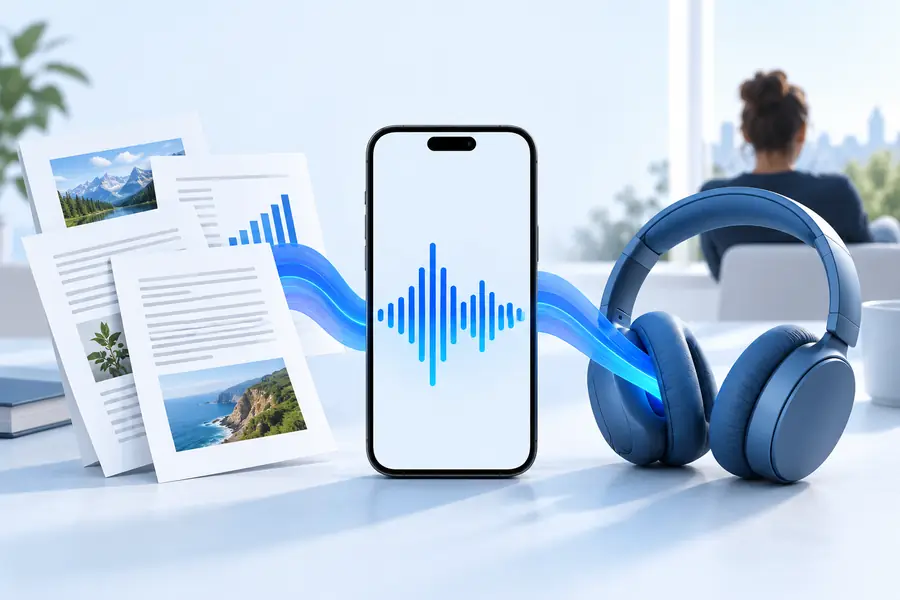
Cleaning the source before listening usually matters more than adding extra controls. The comparison below shows the kind of change to make first.
Remove distractions before sending text to a voice reader.
Compare the options
Use this quick table to decide whether a browser route or prepared text is the better starting point for your session.
Browser page
Prepared text
Browser page
A clean article with selectable text
Prepared text
A passage copied from a document or page
Browser page
Usually low when the page is well structured
Prepared text
Higher because you may need to clean the text
Browser page
The page may include headings, menus, and extras
Prepared text
You choose exactly what is spoken
Browser page
Often limited when words are images
Prepared text
Possible after accurate text extraction
Browser page
Test directly in the page context
Prepared text
Easy to isolate difficult terms
Browser page
Convenient when the text stays visible
Prepared text
Depends on keeping the original source open
Browser page
Can fail if the page or browser changes
Prepared text
A saved text copy remains reusable
Make the next step
Choose a short passage, clean away distractions, and send it to the voice reader through the available route. Start with a quick pronunciation and pacing check, then continue only when the result sounds usable.
Try reading textCommon questions
These answers focus on the practical meaning of using a read-aloud route without adding unnecessary setup.
Some browsers, devices, and voice-reader services provide access without a separate charge, while availability and limits can vary. Check the current terms of the route you choose before relying on it for a long session.
Start with a clean page or a short copied passage, then use a compatible reader and test one paragraph. If the source contains menus, scanned images, or unusual formatting, prepare the text first.
Not always. Selectable, well-structured text is usually easier to process than image-only scans or pages filled with dynamic elements, advertisements, and navigation controls.
Remove irrelevant text, keep paragraphs intact, and test names or technical terms before listening to the full passage. A modest pace and short sections often make errors easier to notice.
No. Spoken output can reduce visual effort and make content easier to access, but visual reading remains useful for diagrams, spelling, formatting, and close reference work. Combining both can give you better coverage of the source.